


FantacyStory: novels, fictions
4.6731.00 Reviews
App Specs
- Version
- 3.2.3
- Updated On
- License
- Free
- Downloads
- 1,000,000+
- Developer
- Novel Studio
- Categories
- Books & Reference
- Platform
- Android
Screenshots



 Analysis by AppCompare
I tend to judge a reading app less by the excitement of its first browse than by whether I still want to open it after the first few stories. FantacyStory: novels, fictions is aimed at readers who like serial fiction and want a steady supply of worlds to dip into, especially fantasy and adventure. Its appeal is easy to understand: open the app, find a story that catches your attention, and read in short stretches or settle in for longer sessions.
As a free Books & Reference app from Novel Studio, it has drawn a 4.5 average from around 65,000 ratings and passed a million installs. Those figures suggest that it has found an audience, but they do not tell me whether its reading routine will fit yours. I’d think of it as a dedicated place to explore fiction rather than a general-purpose e-reader for every book you own.
The first week: browsing is part of the fun
In the first few sessions, the strongest pull is the possibility of finding a new story without having to arrive with a title already in mind. The library is presented by genre, and that gives browsing a useful starting point when I know the mood I want—say, magic and mythical creatures—but not the exact novel. The selection described in the app ranges across fantasy and adventure, so it is most naturally suited to readers who enjoy those kinds of settings.
That kind of discovery can be a real advantage over a conventional e-reader, which is often best when I already own or have chosen the book. Here, the browsing experience is part of the reason to open the app. I would use it when I have ten minutes to spare and want to sample something new, not when I’m looking for a particular title I have already picked elsewhere.
The recommendations also make more sense as a gradual aid than as a guarantee of perfect taste. Reading more gives the app a better chance to surface stories that match what I enjoy, but I would still treat suggestions as leads rather than a verdict on what I should read next. A useful habit is to give a promising story enough time to show its style, then move on if the characters or pacing are not working for me. A large catalogue is only valuable when browsing does not become an obligation.
Reading sessions that fit around real life
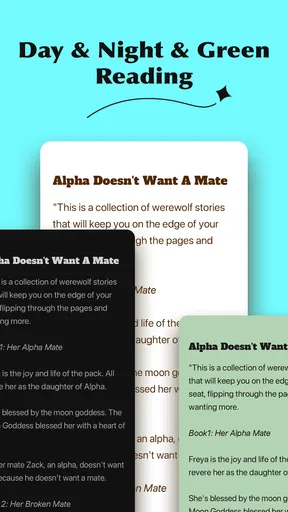
Once I have chosen a novel, the adjustable text presentation helps make the experience more personal. Changing font size or background color can be worthwhile even if I only read for a few minutes at a time; comfort is not just a late-night concern. Night mode is especially practical when I read in bed, while a larger font can make a long session feel less tiring. These are simple controls, but they address the part of a reading app I use most: the page itself.
Bookmarks, highlights, and notes serve different reading habits. A bookmark is enough if I only need to return to my place. Highlights and notes are more useful when I want to remember a clue, keep track of a character, or save a line that made me pause. For serial fiction, I would use them sparingly: marking every twist can turn reading into bookkeeping, while a few notes can help when I return after a gap and need to recall why a scene mattered.
Worth Reading Before You Choose

EA SPORTS FC Mobile 26 Is a Bigger Football Game, but It Takes Time

Flipboard Shows What News Apps Must Do Beyond the Feed

Switching to Android Auto Means Rethinking Your Driving Routine

Google Calendar Makes a Crowded Week Easier to Manage

Ludo King Makes the Most of the Minutes Between Plans

Baby Panda World Brings Quick Play to Modern Phones, but Its Game Library Feels Busy
A realistic routine might be reading a chapter during a commute, bookmarking the stopping point before getting off, then returning at home and adjusting the text for a longer session. If I know I will be without a reliable connection, downloading a novel beforehand makes that plan more dependable. The practical tip is to prepare before leaving rather than assume a story will be available exactly when the network is not. That small bit of planning is what turns offline reading from a feature I admire into one I actually use.
Month-to-month value: a habit, not a one-time download
The longer-term question is whether there is enough variety to keep discovery enjoyable after the first novelty wears off. A broad selection and recommendations that respond to reading activity can help, particularly for someone who finishes one story and immediately wants another. The app’s community discussions and author-following options may also give regular readers another reason to return, because reading can continue into conversation rather than ending at the final chapter.
That social side will not matter equally to everyone. If I mainly want a quiet page and no discussion around it, I can simply treat those features as optional. If I like comparing interpretations or seeing what other readers think about a chapter, they may add a welcome book-club feeling. I would not make community participation a requirement for enjoying the app; it is an extra layer for readers who naturally enjoy talking about fiction.
Compared with a library app or a standard e-book reader, this is a more discovery-led experience. A library service is usually the better fit when I want to borrow a known title, while an e-reader is often better for organizing books from different sources. This app makes more sense when I want to browse fiction within its own reading environment and follow stories there. That distinction matters: it is not automatically a replacement for every reading tool, but it can become a regular option if its catalogue and reading style match my taste.
Keeping the app useful without adding friction
For me, a reading app earns a lasting place when it asks little of my attention outside the story. The core routine here is straightforward: browse, choose, read, and save my place. The customization options, notes, and discussion features are useful only when they solve a real need. I would start with the basics, then add the extras selectively rather than trying to use every feature from the first day.
There is also a difference between having many stories available and finding the right one quickly. Genre categories help narrow the field, but readers who are particular about prose style, pacing, or a tightly defined subgenre may still need to sample before settling in. My advice is to treat early chapters as a test: if the voice does not hold my attention, I would switch rather than keep reading just because I have already invested time.
The app is free to start, with optional in-app purchases ranging from $1.99 to $49.99 per item. That makes it sensible to explore the reading experience before spending anything. I would pay only after understanding what an individual purchase offers and deciding that it suits how I read; a large catalogue alone is not a reason to buy. Younger readers and families should also note the Everyone 10+ content rating and make their own choice about whether the stories they select are appropriate.
Where the routine can lose its appeal
The same abundance that makes browsing attractive can create fatigue. If I open a fiction app without a clear mood or stopping point, scrolling through possibilities can displace the reading itself. I find it helps to decide whether I want a quick sample or a story to follow, then choose one and give it a fair chance. That is a personal reading strategy, not a special feature, but it keeps discovery from becoming endless browsing.
Another trade-off is focus. Recommendations, community discussion, and author activity can make the experience feel lively, but a reader who wants a completely distraction-free environment may prefer a simpler e-reader. Similarly, someone who mainly reads nonfiction, reference books, or titles gathered across many services may get more value from a general reader or library app. This one is a better match for people who come specifically for novels and are happy to explore within a fiction-focused space.
Its current version is 3.1.3 and it requires Android 7.0 or later. That is useful to check before installing on an older device. The app is rated for Everyone 10+, so I would still look at the individual story and its themes when choosing for a younger reader; an age rating for the app does not mean every reader will enjoy every novel in it.
Who will keep coming back?
I can see this being a good fit for someone who reads fantasy or adventure in spare moments, likes discovering unfamiliar stories, and enjoys having a bookmark ready when daily life interrupts. It may also suit readers who get more from fiction when they can compare thoughts with other fans or follow writers they like. For that person, the app can turn small pockets of time into a continuing reading habit rather than a series of isolated sessions.
I would be less likely to recommend it to someone who wants a carefully curated list of specific titles, needs one library for books from many different sources, or prefers print and a completely offline-by-default routine. It is also not an ideal choice for a reader who dislikes sampling stories or would rather buy a single known book than browse a changing range of fiction. Those are not flaws for every user, but they are meaningful differences in what the app is designed to make enjoyable.
My lasting impression is that the app’s value depends less on a dramatic first session than on whether its stories keep earning a place in your day. The reading controls and saved place support a practical routine, while discovery and community can make returning more engaging. I would try it if I wanted a fiction-focused source of new reading, keep my expectations grounded, and judge it by the stories I actually finish—not by how much there is to browse.
Getting Started with FantacyStory
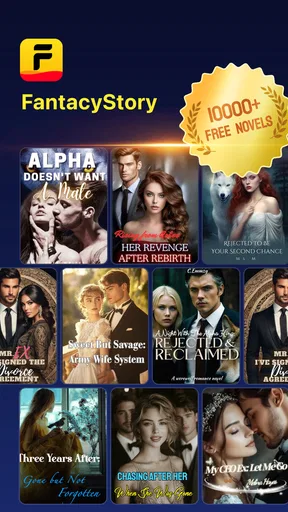
Alright, let’s get into it. The first thing you'll notice when you open the FantacyStory app is its sleek and user-friendly interface. It's like stepping into a library where all the books are just waiting to be discovered. Signing up is a breeze, and you're immediately greeted with a selection of novels that range from fantasy epics to thrilling adventures.
Exploring the Library
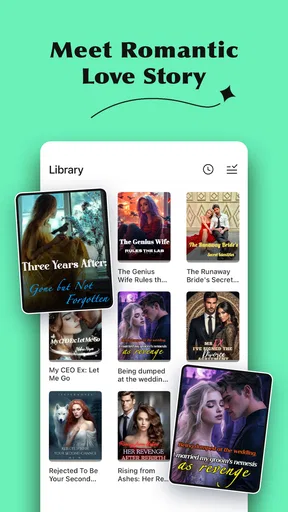
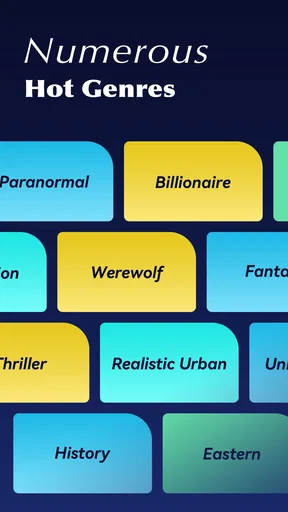
Diving into the app's library, I was impressed by the variety of genres available. Whether you’re into dragons, dystopian worlds, or mythical creatures, there’s something here for every fantasy lover. The app categorizes books neatly, making it super easy to find exactly what you're in the mood for. A simple tap on a category, and you’re presented with a list of novels to explore.
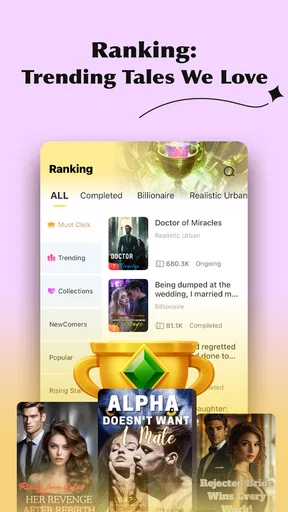
One of the standout features is the personalized recommendations. The more you read, the smarter the app gets about suggesting novels you might enjoy. It’s like having your very own librarian who knows your taste better than you do!
Reading Experience
Now, onto the reading experience – which is, let me tell you, quite delightful. The app offers a customizable reading interface. You can adjust the font size, background color, and even switch to night mode for those late-night reading sessions. I found the text to be crisp and clear, making it easy on the eyes during long reading marathons.
One nifty feature is the ability to bookmark your place in the novel, so if life gets in the way, you can easily pick up right where you left off. Plus, there's an option to highlight passages and add notes – perfect for those moments when a particular line resonates with you or you want to jot down a thought.
Community and Interaction
Another aspect that caught my attention was the community features. You can join discussions with other readers, share your thoughts on different chapters, and even follow authors. It’s like being part of a book club where you can geek out about your favorite characters and plot twists.
If you’re someone who enjoys interacting with authors, you’ll be pleased to know that some writers are quite active on the platform. It adds a personal touch and makes the reading experience feel more connected.
Accessibility and Offline Reading
For those concerned about data usage or reading on the go, FantacyStory has you covered. The app allows you to download novels for offline reading. Perfect for those long flights or when you’re out of network coverage. It’s great knowing that your favorite stories are just a tap away, any time you need an escape.
Final Thoughts
In a world where apps are a dime a dozen, FantacyStory: novels, fictions really stands out with its rich content and engaging features. It's more than just a reading app; it’s a gateway to countless worlds and stories that can captivate your imagination. Whether you're a casual reader or a fantasy fanatic, this app offers a delightful experience that’s hard to beat.
So, if you're ready to embark on a new adventure, give FantacyStory a try. Who knows, you might just discover your next favorite novel.
Pros
- Vast library of genres and authors.
- User-friendly interface enhances reading.
- Offline reading mode available.
- Regular updates with new content.
- Customizable reading settings.
Cons
- Limited free content access.
- Ads can be intrusive at times.
- Occasional app crashes reported.
- No audiobook option available.
- Requires account for full features.
FAQs for FantacyStory: novels, fictions
What types of stories can I find on FantacyStory?
FantacyStory offers a diverse range of genres including romance, fantasy, science fiction, mystery, and more. Whether you're into epic tales of adventure or heartfelt romantic sagas, you'll find something to suit your tastes. The app continuously updates its library, ensuring fresh content for avid readers.
Is FantacyStory free to use?
FantacyStory is free to download and offers a selection of stories at no cost. However, some premium content may require in-app purchases or a subscription. This model helps support authors and allows users to access exclusive features or chapters, enhancing the reading experience.
Can I use FantacyStory offline?
Yes, FantacyStory allows users to download stories for offline reading. This feature is perfect for readers who want to enjoy their favorite tales without needing an active internet connection, making it convenient for travel or areas with limited connectivity.
How does FantacyStory support new writers?
FantacyStory provides a platform for budding authors to publish their work and reach a broader audience. It offers tools and resources to help new writers improve their craft and gain visibility, fostering a supportive community for creative expression and literary growth.
Is there a way to interact with other readers on FantacyStory?
FantacyStory includes social features that allow users to comment on stories, rate them, and engage in discussions. This interactive element fosters a community where readers can share thoughts, recommend stories, and connect with others who have similar interests.


